
Creating a "Web App": Clean Up & CloudFront
I have to make the site less ugly, it's loading soooo slow, and who uses HTTP?.

In the last post, I create a template that I could build my site with. What I thought would just be some minor tweaks with HTML was far off. Once you fix something, you break something else, that’s been the theme of this project.
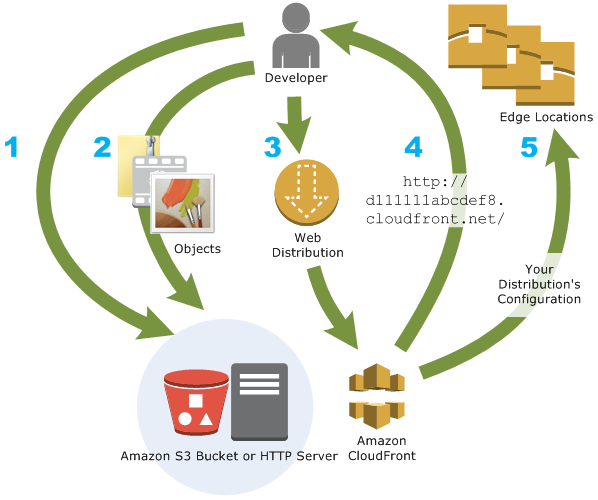
In this post I’m going to summarize my process of cleaning up the site to look somewhat presentable, making some additional changes in Terraform, and creating a CloudFront distribution in Terraform. In the next post, I’ll go into securing it. This might be off-topic, but I underestimated the time that goes into fixing small bugs. I can’t count the number of times I ran terraform apply/destroy -auto-approve in the creation of this section alone.
UI
Improving the UI was the first step of this process. In Part 1, I created a template to build the site around.
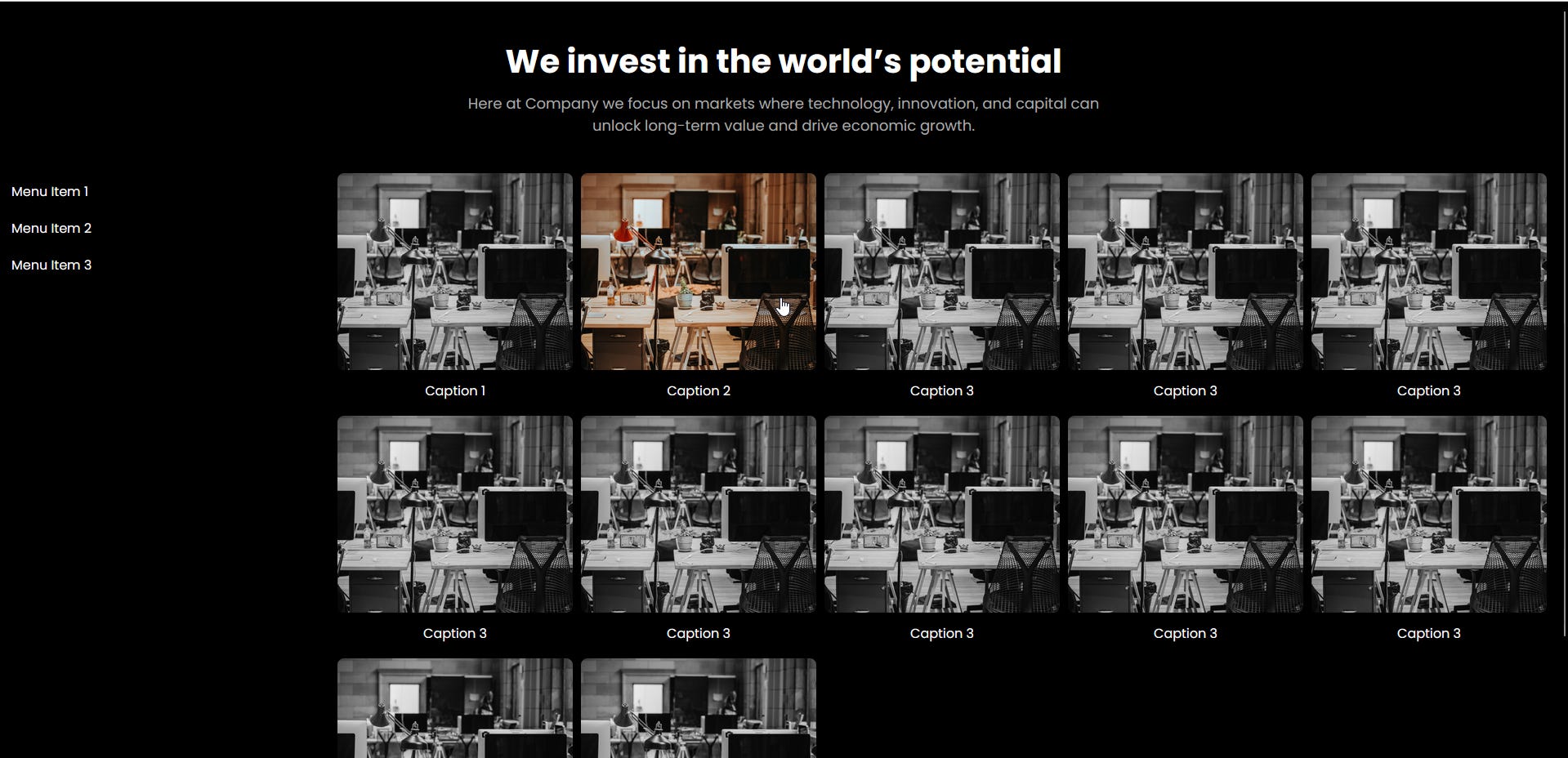
This was a good place to start. But a lot of changes needed to be made. I inserted the pictures into the site from an S3 so I was no longer seeing these sample images. I also moved the “Menu Item 1” through 3 into a sidebar that can be clicked.
The images were loading slowly so I created a separate CloudFront distribution that will not be in the Terraform configuration file to host the images so that they load faster. I also didn’t want to get killed for the egress S3 transfer charges once this site is live, so this had to change. Here is an example of an image in the HTML for faster load times:
        <a href="https://example.com/page3">
          <img class="my-img" src="https://dv4x24yyfnc54.cloudfront.net/371024005910-R1-037-17.jpg" alt="image description">
          <div class="caption">Caption 9</div>
        </a>
I wouldn’t want to bore you with a bunch of basic HTML and Javascript, but just know it took a lot of work to get the result I wanted. I made the sidebar persistent so that when scrolling the “hamburger” menu stays in the top left corner, placed the images in the center of the page vertically and not in big squares, and the same functionality for color to appear from the gray images when swiped over on mobile devices. Here is some of the code:
  <script>
    const menuToggle = document.querySelector('.menu-toggle');
    const sidebar = document.querySelector('.sidebar');
    const imageContainerWrap = document.querySelector('.image-container-wrap');

    menuToggle.addEventListener('click', function() {
      menuToggle.classList.toggle('open');
      sidebar.classList.toggle('open');
      imageContainerWrap.classList.toggle('open');
    });

    imageContainerWrap.addEventListener('click', function() {
      menuToggle.classList.remove('open');
      sidebar.classList.remove('open');
      imageContainerWrap.classList.remove('open');
    });

    // Add touch event handling for mobile devices
    const imageContainers = document.querySelectorAll('.image-container');
    imageContainers.forEach(function(container) {
      container.addEventListener('touchstart', function() {
        container.classList.add('touch-hover');
      });
      container.addEventListener('touchend', function() {
        container.classList.remove('touch-hover');
      });
    });

    // Make the hamburger menu persistent when scrolling
    window.addEventListener('scroll', function() {
      const scrollTop = window.pageYOffset || document.documentElement.scrollTop;
      if (scrollTop > 0) {
        menuToggle.classList.add('fixed');
      } else {
        menuToggle.classList.remove('fixed');
      }
    });
  </script>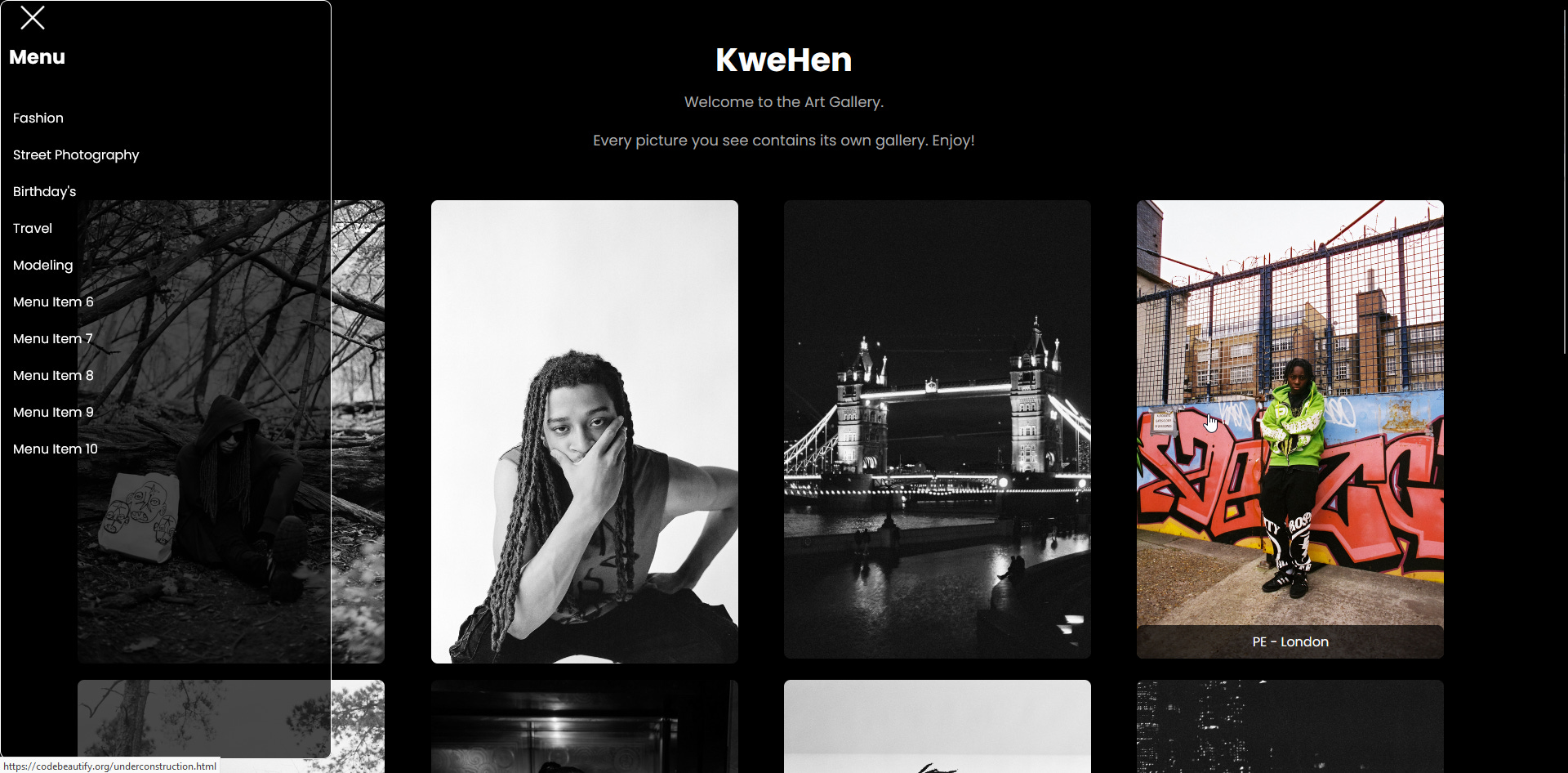
Terraform
Configuring this manually in the UI isn’t that hard, but once you have to do it a bunch of times because of small oversights like a typo in an HTML header, it gets slow, irritating, and repetitive. So I use Terraform.
After creating the configuration file in Part 1, the change that needed to be made is to create a CloudFront distribution that will host the static S3 website. This will add HTTPS to the site so I am no longer seeing the ugly slash through the lock in my browser. The site will also load faster, and once again not kill me for the egress S3 charges.
resource "aws_s3_bucket" "kwehen1" {
  bucket        = "kwehen1"
  force_destroy = true
}

resource "aws_s3_bucket_ownership_controls" "kwehen-controls" {
  bucket = aws_s3_bucket.kwehen1.id

  rule {
    object_ownership = "BucketOwnerEnforced"
  }
}

resource "aws_s3_bucket_public_access_block" "kwehen-access-block" {
  bucket                      = aws_s3_bucket.kwehen1.id
  block_public_acls           = false
  block_public_policy         = false
  ignore_public_acls          = false
  restrict_public_buckets     = false
}

resource "aws_s3_object" "index" {
  bucket = aws_s3_bucket.kwehen1.id
  key    = "index.html"
  source = "/Users/kwehen/Desktop/AWS/Static Portfolio/index.html"
  content_type = "text/html"
}

resource "aws_s3_object" "error" {
  bucket = aws_s3_bucket.kwehen1.id
  key    = "404.html"
  source = "/Users/kwehen/Desktop/AWS/Static Portfolio/404.html"
  content_type = "text/html"
}

resource "aws_s3_object" "portfolio" {
  bucket = aws_s3_bucket.kwehen1.id
  key = "portfolio.html"
  source = "/Users/kwehen/Desktop/AWS/Static Portfolio/portfolio.html"
  content_type = "text/html"
}

resource "aws_s3_object" "under-construction" {
  bucket = aws_s3_bucket.kwehen1.id
  key = "underconstruction.html"
  source = "/Users/kwehen/Desktop/AWS/Static Portfolio/underconstruction.html"
  content_type = "text/html"
}

resource "aws_s3_bucket_policy" "kwehen-policy" {
  bucket = aws_s3_bucket.kwehen1.id

  policy = <<EOF
{
  "Version": "2012-10-17",
  "Statement": [
    {
      "Sid": "PublicReadGetObject",
      "Effect": "Allow",
      "Principal": "*",
      "Action": "s3:GetObject",
      "Resource": "arn:aws:s3:::kwehen1/*"
    }
  ]
}
EOF
}

resource "aws_s3_bucket_website_configuration" "kwehen-config" {
  bucket = aws_s3_bucket.kwehen1.id

  index_document {
    suffix = "index.html"
  }

  error_document {
    key = "404.html"
  }
}

output "bucket_domain_name" {
  value = aws_s3_bucket.kwehen1.website_endpoint
}

resource "aws_s3_bucket_server_side_encryption_configuration" "kwehen-encryption" {
  bucket = aws_s3_bucket.kwehen1.id

  rule {
    bucket_key_enabled = true
  }
}

locals {
  s3_origin_id = "kwehen1.s3-website-us-east-1.amazonaws.com"
}

resource "aws_cloudfront_origin_access_identity" "kwehen-origin" {

}

resource "aws_cloudfront_cache_policy" "policy" {
  name = "policy"
  min_ttl = 1
  max_ttl = 31536000
  default_ttl = 86400
  parameters_in_cache_key_and_forwarded_to_origin {
    cookies_config {
      cookie_behavior = "none"
    }
    enable_accept_encoding_brotli = true
    enable_accept_encoding_gzip = true
    headers_config {
      header_behavior = "none"
    }
    query_strings_config {
      query_string_behavior = "none"
    }
  }
  lifecycle {
    ignore_changes = all
  }
}

resource "aws_cloudfront_distribution" "kwehen-cf" {
  origin {
    custom_origin_config {
      http_port = "80"
      https_port = "443"
      origin_protocol_policy = "http-only"
      origin_ssl_protocols = ["TLSv1", "TLSv1.1", "TLSv1.2"]
    }

    domain_name = "${aws_s3_bucket.kwehen1.website_endpoint}"
    origin_id = local.s3_origin_id
  }

  enabled = true
  is_ipv6_enabled = false
  comment = "kwehen-cf"
  default_root_object = "index.html"

  default_cache_behavior {
    cache_policy_id = aws_cloudfront_cache_policy.policy.id
    allowed_methods = ["DELETE", "GET", "HEAD", "OPTIONS", "PATCH", "POST", "PUT"]
    viewer_protocol_policy = "redirect-to-https"
    cached_methods = ["GET", "HEAD"]
    target_origin_id = local.s3_origin_id
    }

  viewer_certificate {
    cloudfront_default_certificate = true
  }

  restrictions {
    geo_restriction {
      restriction_type = "whitelist"
      locations        = ["US", "CA", "GB", "DE", "IN", "IR"]
    }
  }


}

output "cloudfront_domain_name" {
  value = aws_cloudfront_distribution.kwehen-cf.domain_name
}
What’s Next?
The bucket that is hosting the site was public for the static site originally, but after setting up CloudFront this no longer has to be the case, making the policy over permissive (especially if there are objects that I don’t want to be seen in this bucket). For that, the next post will be going over some of the security measures I took to limit the possibility for attackers to enumerate/compromise my application. This was one of my quicker posts, I want to get back to building and less typing, but who doesn’t love writing documentation?! Thank you for reading.