
Simplifying High Performance Computing Management
Using ServiceNow, Ansible, and Python Azure Functions to streamline access and cost management to high performance computing virtual machines.


What is High Performance Computing?
High-performance computing (HPC) is technology that uses clusters of powerful processors that work in parallel to process massive multi-dimensional data sets, also known as big data, and solve complex problems at extremely high speeds. HPC solves some of today’s most complex computing problems in real time.
— IBM
HPC can be very important across many industries. Some scenarios where HPC is needed can be:
Engineers running simulations for structural analysis, design optimization, and product testing.
Predicting weather patterns.
Training AI/ML models.
Financial modeling.
Though many organizations may need to utilize the benefits of HPC, running HPC VMs can be very expensive. 1 HB120-96rs v3 (96 Cores, 456 GB RAM) VM in Azure will run you for almost $7,000 per month. Now imagine if you have multiple that need to be run a different times, by non-technical users. What if a VM is left on without you knowing? I don’t think anyone wants a surprise bill from their cloud provider that is $10,000+ more than they expected.
Pain Points
At work, we have a few HPC VMs running at different times. As I said before, leaving one of these VMs on for an extended period, without work being performed on it, is a meeting with finance waiting to happen. Ensuring the use of these VMs is cost-effective, auditable, and secure is a major priority of ours. Let me introduce a few of the ways these VMs were used and our pain points for managing them:
Engineers who use the VMs do not and should not have access to the Azure portal to start/stop them.
The VMs are turned on (and sometimes left on) for patching, which increases cost.
The IT team member managing the VMs has to start/stop the VMs at the request of the engineer(s). What if they are out of town? Are engineers supposed to stop doing work?
The need for starting the VM(s) should have an audit trail. If Sally Joe starts a VM and forgets to turn it off nobody knows…
Solutions
I see the four bullet points above and my problem-solving nerve starts tingling.
ServiceNow
Many organizations rely on ServiceNow (SNOW) as their single source of truth (SSOT) for managing IT services and operations. By centralizing data and processes in SNOW, they ensure consistent, reliable access to information, streamline workflows, and improve decision-making across the enterprise. Ultimately, using SNOW as the SSOT for operations allows for greater ITIL adherence.
SNOW will be the trigger/facilitator of this workflow. More specifically, a form in the service catalog.
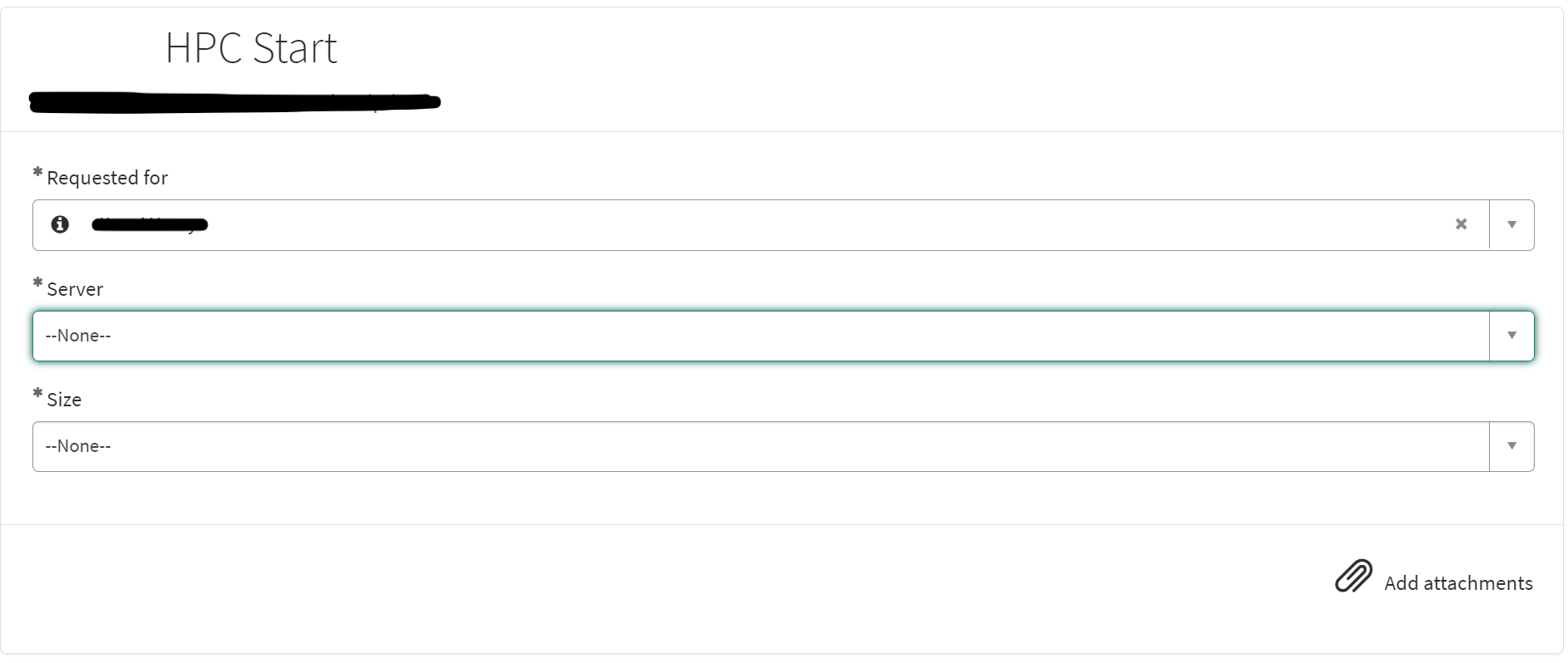
This form is supposed to be simple, while the automation behind it can store all of the complexity. It allows the user to select which HPC VM they want to start, and the size needed which best fits their task.
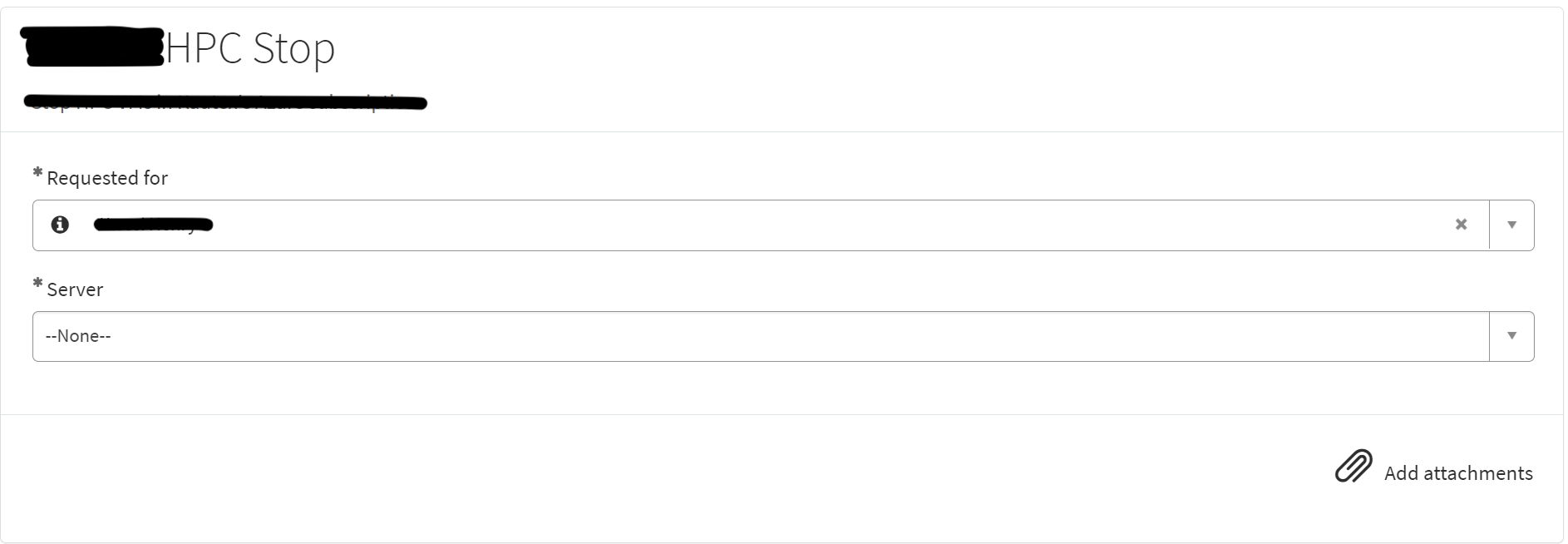
Behind this form is a flow that does the real work. Using the trigger of the service catalog, the variables are collected from the form, additional flow variables are set, a standard change is created, and the variables are posted to Ansible Tower’s API along with the template ID of the playbook that is going to be run. If the Ansible job is completed successfully, the standard change and request are closed in SNOW, if not, an incident is created and assigned to the managed group of the form. Thank you to Lucas Benning for such a beautiful subflow.
Limiting access to these forms can be done by creating a group and referencing that group in the user criteria of the form.
The inverse can be done for stopping the VMs:
Ansible
Once the request is sent to Ansible Tower’s API, the playbook below is run:
---
- name: Update HPC VM(s) Size
  azure.azcollection.azure_rm_virtualmachine:
    resource_group: {{ resource_group_name }}
    name: vm_name
    vm_size: "{{ vm_size }}"
    client_id: "{{ hpc_app_id }}"
    secret: "{{ hpc_app_secret }}"
    tenant: "{{ hpc_tenant_id }}"
    subscription_id: "{{ hpc_subscription_id }}"
    started: yes

- name: Send HPC Start Notification Email
  community.general.mail:
    host: {{ smtp_server_address }}
    port: 25
    sender: hpcresize@example.com
    to:
    - User One <user.one@example.com>
    - User Two <user.two@example.com>
    - User Three <user.three@example.com>
    - User Four <user.four@example.com>
    - User Five <user.five@exmaple.com>
    - User Six <user.six@example.com>
    subject: HPC Start Notification
    body: {{vm_name}} has been started via Ansible to the size of {{ vm_size }}. Please remember to shutdown the VM once finished.
This playbook starts the VM with the specified size from the form using the Azure Ansible library and a service principal in the specified Azure subscription, then sends an email to the engineers and IT admin(s) notifying the group that the VM has been started.
For stopping/deallocating the VM(s), something similar is done:
---
- name: Deallocate HPC
  azure_rm_virtualmachine:
    client_id: "{{ hpc_app_id }}"
    secret: "{{ hpc_app_secret }}"
    tenant: "{{ hpc_tenant_id }}"
    subscription_id: "{{ hpc_subscription_id }}"
    resource_group: {{ resource_group_name }}
    name: {{ vm_name }}
    allocated: false

- name: Send HPC Stop Notification Email
  community.general.mail:
    host: {{ smtp_server_address }}
    port: 25
    sender: hpcresize@example.com
    to:
    - User One <user.one@example.com>
    - User Two <user.two@example.com>
    - User Three <user.three@example.com>
    - User Four <user.four@example.com>
    - User Five <user.five@exmaple.com>
    - User Six <user.six@example.com>
    subject: HPC Stop Notification
    body: {{vm_name}} has been stopped via Ansible.
Azure Functions
So this solves 3 of the 4 problems originally mentioned. But there is still the issue of the VM being turned on (and possibly left on) during patching.
To resolve this, I wrote an Azure Function that will check every hour, on the hour, if the VMs are running. If they are, kill quit running, if they aren’t check the current size of them. The function will then size down the VMs to a 4-core 16 GB VM. Now, the VM is only sized up via the HPC forms I showed earlier. This means that during patching, it will be a much cheaper VM so if by chance the VM is left on, it will not run our bill up through the roof.
from az.cli import az
import datetime
import logging
import azure.functions as func
import os

# Service Principal credentials and variables
tenant_id = os.environ["TENANT_ID"]
app_id = os.environ["APP_ID"]
app_secret = os.environ["APP_SECRET"]
hpc_vm_1 = os.environ["HPC_VM_1_NAME"]
resource_group_name = os.environ["HPC_RESOURCE_GROUP"]
VirtMach, ResourceGroup, DesiredSize = hpc_vm_1, resource_group_name, "Standard_B4ms"

def main(mytimer: func.TimerRequest) -> None:
    utc_timestamp = datetime.datetime.now(datetime.timezone.utc).isoformat()

    if mytimer.past_due:
        logging.info('The timer is past due!')

    # Authenticate with service principal
    exit_code, result, logs = az(f"login --service-principal -u {app_id} -p {app_secret} --tenant {tenant_id}")
    if exit_code != 0:
        logging.error(logs)
        return

    # Check VM power state
    exit_code, result_dict, logs = az(f'vm show -d --resource-group {ResourceGroup} --name {VirtMach} --query "powerState"')
    logging.info(result_dict) if exit_code == 0 else logging.error(logs)
    if result_dict != "VM deallocated":
        logging.info(f"Quitting - VM State is Running")
        return

    # Check VM size
    exit_code, result, logs = az(f'vm show --resource-group {ResourceGroup} --name {VirtMach} --query hardwareProfile.vmSize')
    current_size = result.strip() if exit_code == 0 else logging.error(logs)
    if exit_code != 0:
        return

    # Resize the VM if not the desired size
    if current_size != DesiredSize:
        exit_code, result, logs = az(f"vm resize -g {ResourceGroup} -n {VirtMach} --size {DesiredSize}")
        if exit_code == 0:
            logging.info(f"Resized {VirtMach} to {DesiredSize}")
        else:
            logging.error(logs)

    logging.info('Python timer trigger function ran at %s', utc_timestamp)
Summary
High-performance computing (HPC) is vital for handling complex computing tasks across various industries but can be expensive if not managed properly. A task of mine was to use ServiceNow and Ansible to streamline the management of HPC VMs, ensuring cost-effective and auditable usage while restricting Azure access for (non-IT) engineers. Additionally, an Azure Function monitors VM usage, automatically resizing them to more economical configurations during idle periods to prevent unexpected costs. This integrated approach helps us maintain financial control, operational efficiency, and enhanced security in our HPC environment.
Nicely done, same logic could be applied to GPU machines. One thought: why not fully turn it off after resizing? and during patching bring it up, patch it and turn it off again?