
Kubernetes the not so hard way? Part 3
Ingress w/ Traefik.

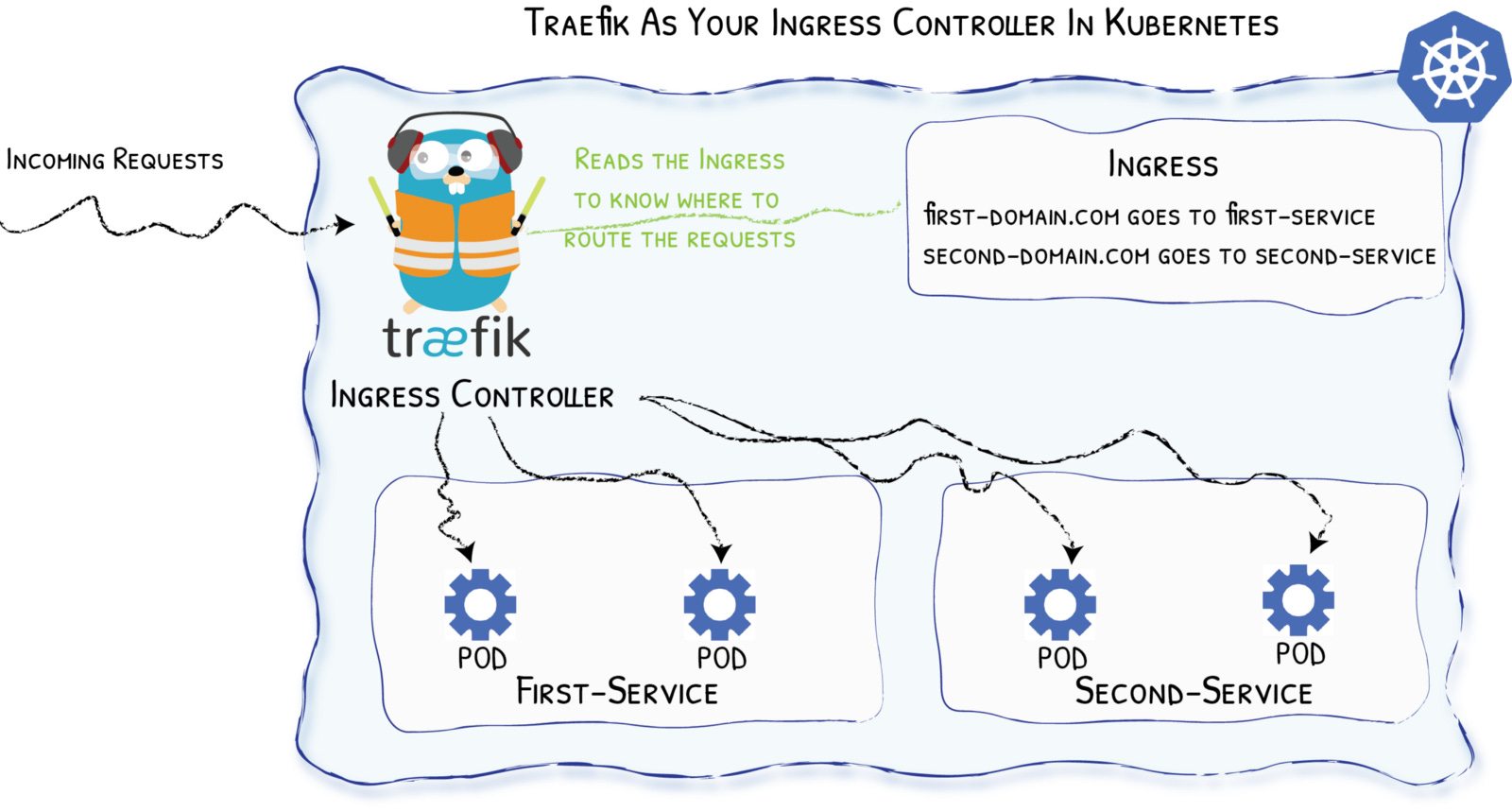
In 2021, when I was first introduced to Kubernetes, I could not wrap my head around how to access a service after it was installed on a cluster. Looking at services with a ClusterIP and not understanding how to get to Prometheus in the browser was a huge pain point of mine. Of all the ways to access services in Kubernetes (NodePort, LoadBalancer, Ingress) I prefer ingress. It provides simplified routing based on hostname and assists in easy certificate management.
What is an Ingress Controller?
In the HTTP context, an ingress controller, like Traefik, acts as a reverse proxy to internal services on the cluster based on hostname, path, etc. in the received request.
An ingress controller watches Ingress objects. Ingress objects essentially say "accept traffic at some host and forward to a Service object". Service objects in this case are usually just internal ClusterIP services.
What is Traefik?
Traefik is an open-source Edge Router that makes publishing your services a fun and easy experience. It receives requests on behalf of your system and finds out which components are responsible for handling them.
What sets Traefik apart, besides its many features, is that it automatically discovers the right configuration for your services. The magic happens when Traefik inspects your infrastructure, where it finds relevant information and discovers which service serves which request.
Traefik is natively compliant with every major cluster technology, such as Kubernetes, Docker, Docker Swarm, AWS, Mesos, Marathon, and the list goes on; and can handle many at the same time. (It even works for legacy software running on bare metal.)
Traefik Configuration
Now that we have a working Kubernetes cluster with persistent storage, we need to be able to access the future services that are going to be deployed. If you have followed along, then you already have Metallb installed. This will make installing Traefik easy and highly available. The only other prerequisite is to make sure you have Helm installed on your machine.
kubectl create ns traefikValues.yaml:
globalArguments:
  - "--global.sendanonymoususage=false"
  - "--global.checknewversion=false"

additionalArguments:
  - "--serversTransport.insecureSkipVerify=true"
  - "--log.level=INFO"

deployment:
  enabled: true
  replicas: 3
  annotations: {}
  podAnnotations: {}
  additionalContainers: []
  initContainers: []

ports:
  web:
    redirectTo:
      port: websecure
      priority: 10
  websecure:
    tls:
      enabled: true

ingressRoute:
  dashboard:
    enabled: false

providers:
  kubernetesCRD:
    enabled: true
    ingressClass: traefik-external
    allowExternalNameServices: true
  kubernetesIngress:
    enabled: true
    allowExternalNameServices: true
    publishedService:
      enabled: false

rbac:
  enabled: true

service:
  enabled: true
  type: LoadBalancer
  annotations: {}
  labels: {}
  spec:
    loadBalancerIP: X.X.X.X
  loadBalancerSourceRanges: []
  externalIPs: []
Install Traefik with Helm:
helm repo add traefik https://helm.traefik.io/traefikhelm repo updatehelm install --namespace=traefik traefik traefik/traefik --values=traefik-values.ymlkubectl get all -n traefik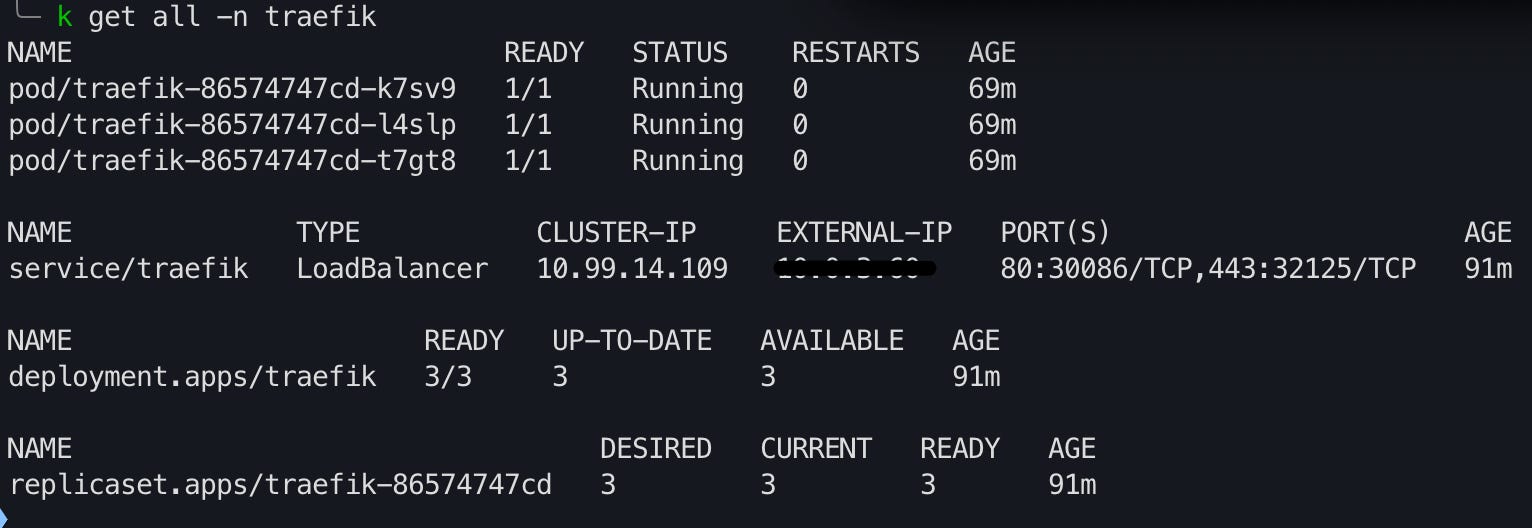
Create an A record to the EXTERNAL-IP of the loadBalancer listed in the output of the command in your local DNS server or your hosts file. Moving forward, all services with either ingress or ingressRoutes will need a CNAME record to the domain specified in your A record. This way, if the IP on the Traefik loadBalancer ever changes, you only have to update one record.
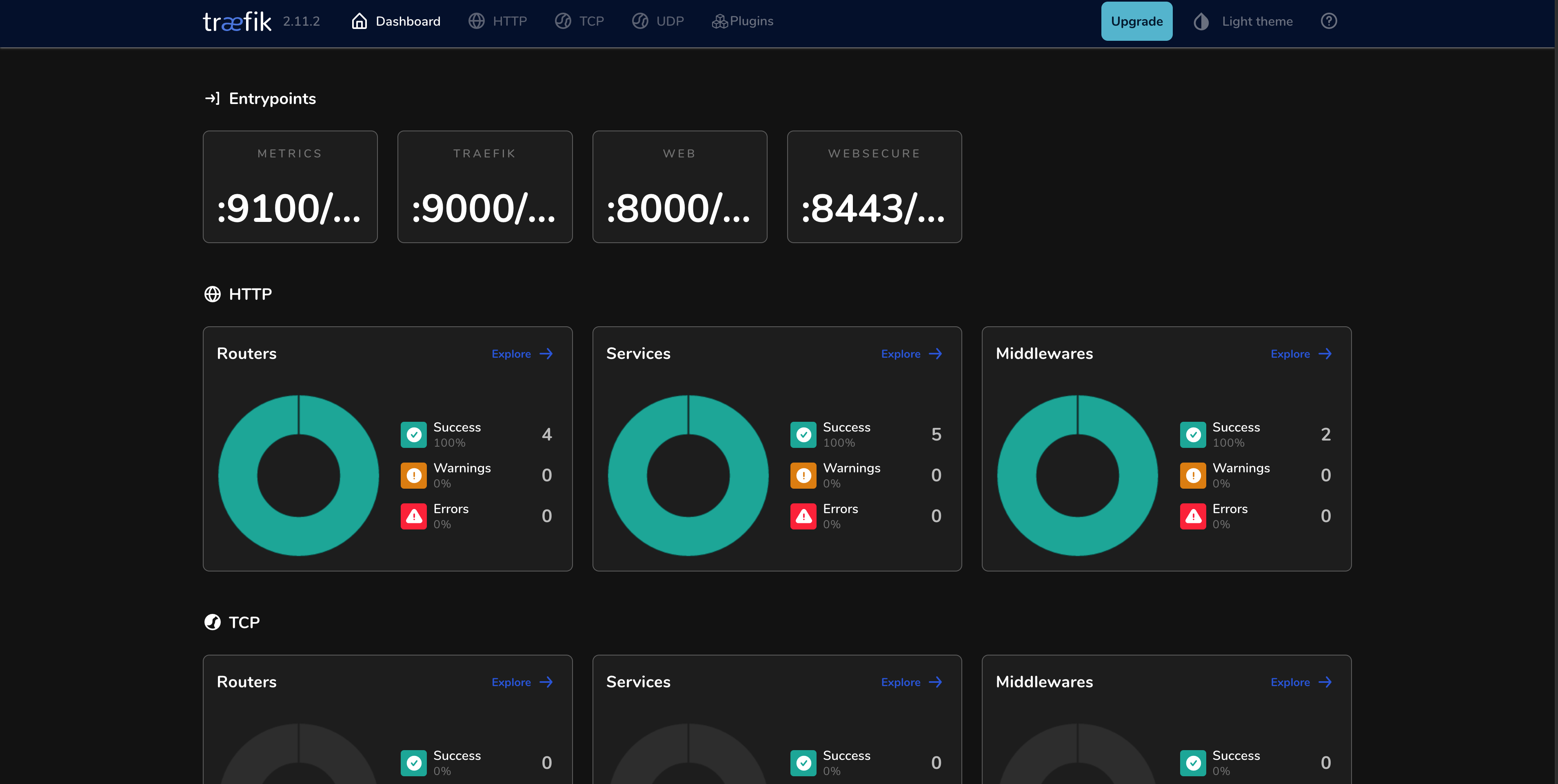
Now the Traefik dashboard has to be exposed, which is the first ingressRoute created in the cluster.
Ingress objects are native to Kubernetes. “An ingressRoute is specific to Traefik. It's not native to Kubernetes. It is a Custom Resource Definition which allows you to take advantage of Traefik features not exposed in the Kubernetes ingress resource”.
htpasswd -nb admin admin | openssl base64Please use a more secure password.
Take the output of the command and create a secret which will then be referenced by a middleware for the Traefik dashboard.
apiVersion: v1
kind: Secret
metadata:
  name: traefik-dashboard-auth
  namespace: traefik
type: Opaque
data:
  users: <command-output>
kubectl apply -f traefik-secret.yamlCreate the middleware:
apiVersion: traefik.containo.us/v1alpha1
kind: Middleware
metadata:
  name: traefik-dashboard-basicauth
  namespace: traefik
spec:
  basicAuth:
    secret: traefik-dashboard-auth
kubectl apply -f traefik-dash-middleware.yamlFinally, create the ingressRoute to the Traefik dashboard:
apiVersion: traefik.containo.us/v1alpha1
kind: IngressRoute
metadata:
  name: traefik-dashboard
  namespace: traefik
  annotations:
    kubernetes.io/ingress.class: traefik-external
spec:
  entryPoints:
    - websecure
  routes:
    - match: Host(`traefikdash.home.domain.name`)
      kind: Rule
      middlewares:
        - name: traefik-dashboard-basicauth
          namespace: traefik
      services:
        - name: api@internal
          kind: TraefikService
Make sure to create a CNAME to the hostname you specified.
Trusted TLS/SSL Certificates
In my case, I own a domain and use cert-manager to create certificates inside of the cluster. When accessing services in the browser I do not get the ugly certificate untrusted certificate warning.
Setting this up is out of the scope of this demo, but pretty straightforward. If you own a domain (hopefully on Cloudflare) and would like to have this same functionality, please pick up from 16:07 on this video: Wildcard Certificates with Traefik + cert-manager + Let's Encrypt in Kubernetes Tutorial.
Reference
A big thank you to Techno Tim for creating all the awesome Kubernetes tutorials. Setting these things up would not be so simple without all of his hard work. Check him out at https://technotim.live/. Let’s get some observability…