
My Kubernetes Tips and Tricks So Far
A quick summary on what has made my life easier.

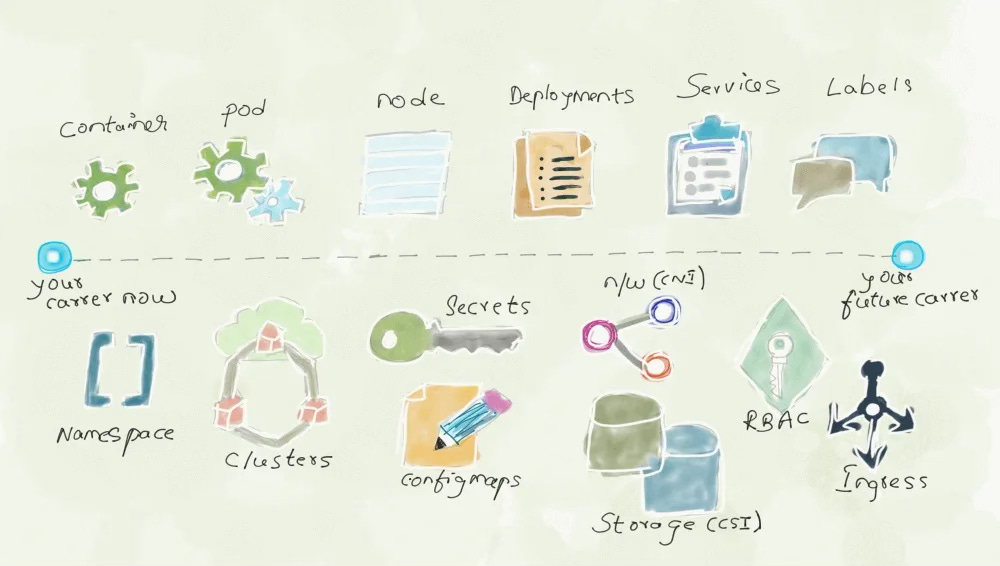
I wouldn't say I have a lot of Kubernetes (k8s) experience, two years to be exact. I learn something new about or related to k8s pretty much every day. Despite this, I do maintain some k8s clusters at work, three at home, and will soon start studying for my CKA. While doing this, there are a few things I've picked up to become more efficient at administering and developing in Kubernetes. Why not share?
GitOps
First and foremost, GitOps. ArgoCD (which I started with) and FluxCD (what I use now) are the two graduated CNCF GitOps tools for Kubernetes. GitOps allows for your cluster to have a standard, immutable configuration where changes can be made in a central git repo and pulled down by the cluster. I've seen the problem of application sprawl in k8s where you don't know what is running on the cluster because this was installed via helm, that app applied via kubectl, and all of the apps are out of date. I’ve had multiple clusters need to be rebuilt from scratch and I promise, reinstalling all your applications one by one is never fun. Without GitOps, this is your future.
Applications & Tools
There's a myriad of applications that I use to administer my cluster, but there are some key apps that I use inside of k8s that I recommend to others:
- FluxCD - How many times do I have to say GitOps is a NEED, especially at scale.
- External Secrets Operator - Store and rotate secrets outside of your cluster in another service like Vault, OpenBao, AWS SSM, Azure KV, etc.
- Kubens & Kubectx - switch namespaces and contexts without long commands.
- k9s & Lens - TUI and GUI to help with administering k8s.
- Traefik + Metallb - my preferred ingress controller/reverse proxy and bare metal load balancer.
- Talos Linux - Bare metal, edge, and homelab k8s.
- Minkube - Create local clusters for learning and testing on your machine.
Learning Material
Some material that was pivotal in learning k8s:
- Kubernetes NodePort vs LoadBalancer vs Ingress
- Mastering Kubernetes: Workloads APIs (Deployment, StatefulSet, ReplicaSet, Pod, etc.)
- Mastering Kubernetes: Service and Network APIs (Service, Ingress, GatewayAPI)
- What The Heck Are Kubernetes Resources, CRs, CRDs, Operators, etc.?
- How to debug Kubernetes? (Deployments, Services & Ingress)
- Minkube
In all honesty, I learn by doing. Being thrown into the fire was my best mode of learning. If you have some interest in learning Kubernetes and are reading this blog from a computer of yours, I'd suggest you spin up your local cluster using Talos or Minikube. This can be your playground to learn.
Commands
One of the biggest parts of managing k8s is kubectl. Navigating kubectl is a challenge in and of itself. Here are some commands that make my life easier while on the command line. Some are extremely obvious, some a bit more complex:
Autocomplete
Exec in pod
k exec -it pod/<podname> -- /bin/bashPort forward service or pod for debugging
k port-forward pod/<pod-name> <host-port>:<pod-port>

k port-forward svc/<service-name> <host-port>:<pod-port>
Show labels for pod
kubectl get pods --show-labelsTurn resource into a file
k create deploy nginx --image=nginx --replicas=1 --dry-run=client -o yaml > nginx.yaml

kubectl apply -f nginx.yaml
Delete all pods of a certain status
kubectl get pods | grep <status> | awk '{print $1}' | xargs kubectl delete pod

kubectl get pods | grep CrashLoopBackOff | awk '{print $1}' | xargs kubectl delete pod
Restart Workload
kubectl rollout restart <workload> <name>

kubectl rollout restart statefulset postgres-15
List Warning Events
kubectl events --types=WarningScale Workload
kubectl scale deploy nginx --replicas 3Follow the logs of a pod or deployment
kubectl logs -f <workload-name>Summary
I wish I could fit everything I've learned over the last two years in under 1000 words. I was having a conversation last week about the different components of k8s and even surprised myself with all that is becoming stored knowledge for me. If you're looking to learn as well I'll repeat that in my opinion, the best way to learn is by doing. As long as you have a single computer, you have enough resources to run your own Kubernetes cluster locally, for free.