
The Hyperbolic Chamber - 12/18/2023
How many times can I say CI/CD in one blog post?

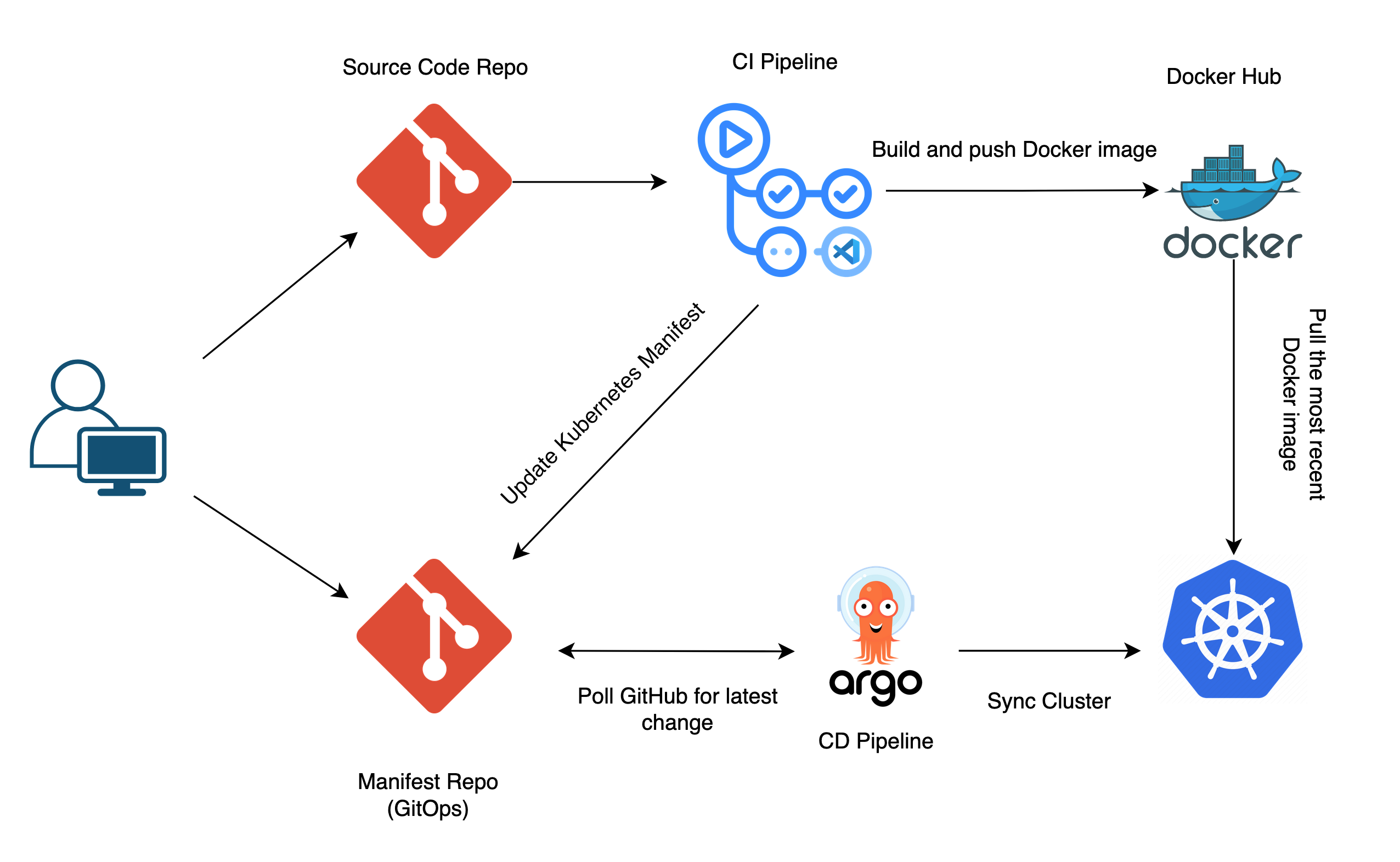
This diagram is what I’ve spent approximately the last 30 hours doing (with breaks, of course). Why? All in the name of learning, that’s why. Let me explain…
I’ve been working on a basic GO API project for the last few weeks. A few weeks ago I spent a weekend trying to build a CI/CD pipeline, all attempts were unsuccessful and I was sent back to the drawing board. I’ve been moving along with the development of the project ever since, but this has been looming over my head the entire time.

This was one of the harder things I’ve had to figure out over the past few weeks, thankfully you’re not me, and get to read the results.
Why CI/CD?
To answer that we must first answer the question, what is CI/CD?
CI/CD is a strategy to automate the development process to speed up turnaround time. CI, or continuous integration, is the practice of frequently merging code changes into a shared branch. CD can refer to continuous delivery or deployment, which both automate the release and rollout of the application after merging.
I don’t know about you, but every time I push code to main I don’t want to follow that up with building and pushing docker images, reconfiguring and redeploying k8s manifests, and all the other manual processes that can be automated. Imagine if you have to do all of this just to change the color of a button in the UI. It may come back to bite, but I once I have to do a manual process more than 2-3 times, I look for how it can be sped up/automated.
In production environments, with added safeguards, CI/CD pipelines are built and maintained by DevOps teams to enhance developer experience/efficiency while streamlining the deployment of code to production. That way it doesn’t take one month to change the color of the submit button.
Configuration Requirements
I honestly don’t know why I chose ArgoCD. I’ve heard of it many prior times to this, but in all honesty, I woke up Saturday morning and the word kept ringing in my head until I just Startpage’d it (eww you use Google?) and went down the rabbit hole.

ArgoCD would be used for CD, other tech needed for this includes:
GitHub Actions for CI
Homelab Kubernetes cluster to deploy onto
Cloudflare domain for hosting and HTTPS
Two different Git repos, one for source code and the other for manifest files
YAML Paralysis
ArgoCD Installation
With all of the installation guides for ArgoCD online, you would think this would be an easy step, emphasis on you would think.
The docs did the best they could for my use case, but there were some unique errors I was running into. ArgoCD’s pods were running on the cluster yet the IngressRoute was not routing anything to them. There were also issues with being redirected to HTTPS being that the application OOTB runs on port 80. Eventually, after much deliberation and headache, I made some configuration changes to Traefik (ingress controller), and created an Ingress for ArgoCD:
apiVersion: networking.k8s.io/v1
kind: Ingress
metadata:
  name: argocd-ingress
  namespace: argocd
  annotations:
    kubernetes.io/ingress.class: "traefik"
spec:
  rules:
    - host: argocd.k3s.mywebsite.com
      http:
        paths:
          - path: /
            pathType: Prefix
            backend:
              service:
                name: argocd-server
                port:
                  number: 80
Solved. But solving one problem leads to the creation of another. The new issue is that the Traefik default certificate is showing in the browser which is not a globally trusted TLS cert. Hence receiving the ugly certificate error.
I thought I had set up TLS prior when configuring Traefik weeks ago, but as I can see, that is not the case. So onto the next challenge.
TLS Certificates
Big thanks to Techno Tim for the video on setting up TLS with Traefik and Certmanager. As with all tech walkthroughs, it wasn’t straightforward, but greatly reduced the amount of time I would’ve spent on this.
I could go on for a few paragraphs about this and put you to sleep, or I could tell you that to get TLS certificates in Kubernetes you need to:
Create and apply certificates in staging
This involves creating certificate signing requests with Cloudflare and your cluster
Many errors can be found in this step
Apply test certificates to running applications and check for staging certificates in the browser
Create and apply production certificates to running applications (including ArgoCD)
The ingress for ArgoCD must be reconfiguration and reapplied (see bold lettering below), and no more ugly errors.
apiVersion: networking.k8s.io/v1
kind: Ingress
metadata:
  name: argocd-ingress
  namespace: argocd
  annotations:
    kubernetes.io/ingress.class: "traefik"
    traefik.ingress.kubernetes.io/router.tls: "true" # Enable TLS on Traefik router
    traefik.ingress.kubernetes.io/router.tls.certresolver: "letsencrypt-production"
spec:
  rules:
    - host: argocd.k3s.mywebsite.com
      http:
        paths:
          - path: /
            pathType: Prefix
            backend:
              service:
                name: argocd-server
                port:
                  number: 80
  tls:
  - hosts:
    - "argocd.k3s.mywebsite.com"
    secretName: k3s-mywebsite-com-prod-tls
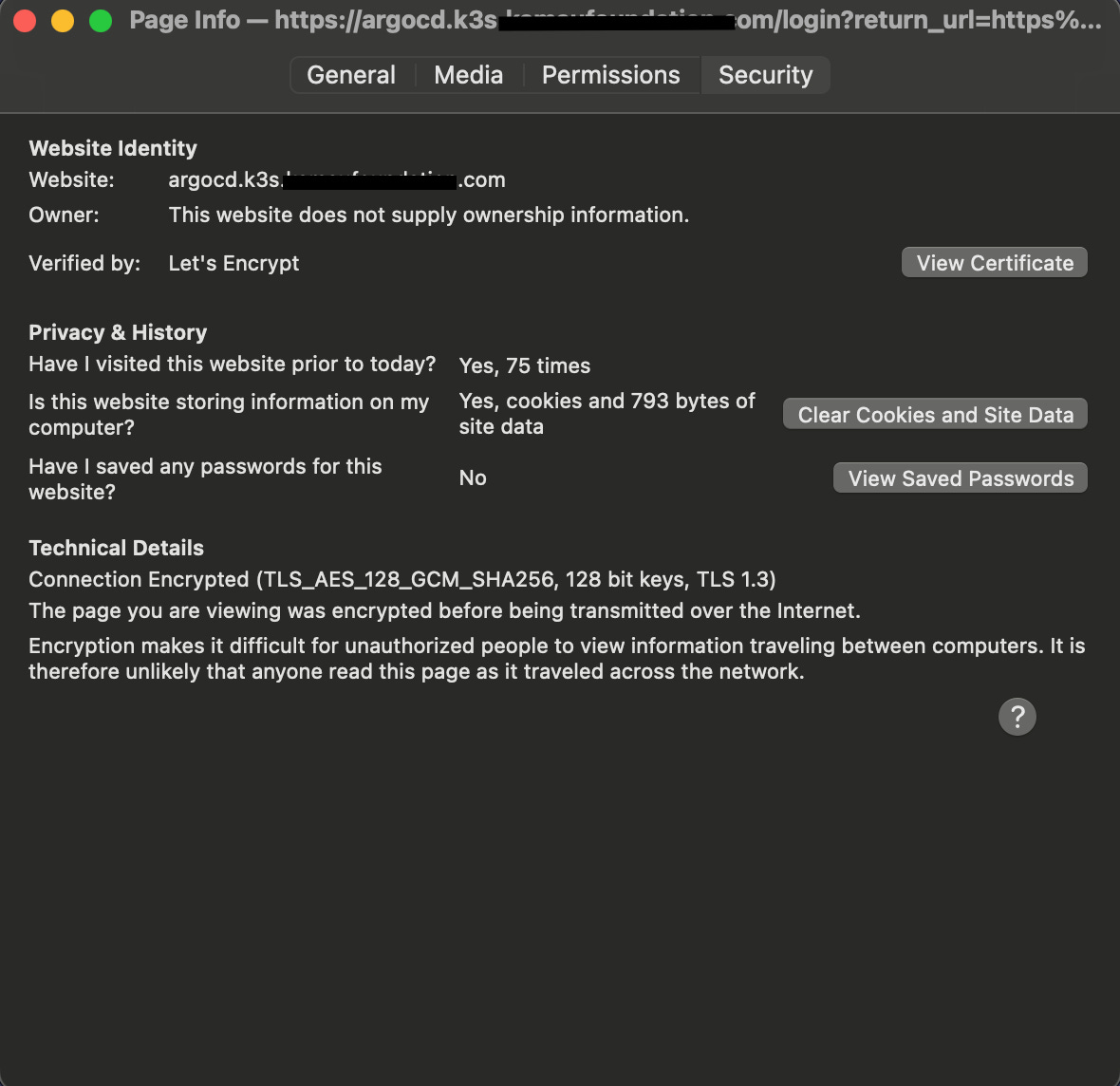
This also means once my GO app is deployed it will have a trusted TLS cert as well.
I also learned some useful commands for debugging in the process, including:
k describe certificaterequestk get challengeskubectl describe clusterissuer <cluster-issuer>
GitHub Actions
I took a break before starting GitHub actions because this is where I got stuck a few weeks ago so honestly there was some fear here.

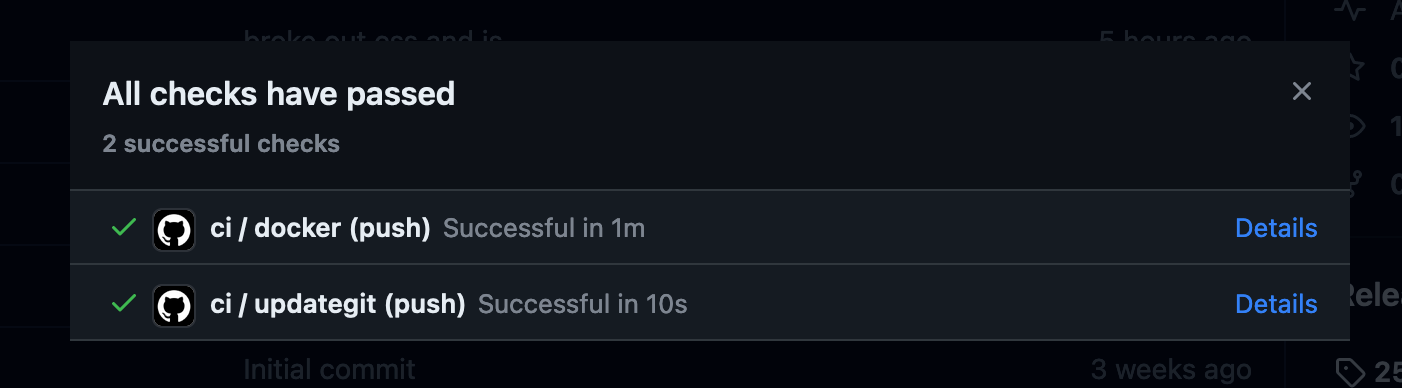
Watching over a few ArgoCD videos it is recommended to keep one repository for your application’s source code, and another repo for your helm or k8s manifest files which ArgoCD will be connected to. Another requirement is building and pushing images to the Docker hub, there is a pre-built action for this. So I have a workflow defined, build, and push the images to Docker, once pushed, update the manifest repo with the newest tag.
First, to test I created a Dockerfile to build and run the code I have locally.
FROM golang:latest

LABEL maintainer="The Hyperbolic Chamber"

WORKDIR /app

COPY go.mod go.sum ./

RUN go mod download

COPY . .

RUN go build -o main .

EXPOSE 8080

CMD ["./main"]
Once I confirmed this was working, I went on to build the workflow(s) for GitHub Actions.
name: ci

on:
  push:
    tags:
      - "*"

jobs:
  docker:
    runs-on: ubuntu-latest
    steps:
      - name: Checkout
        uses: actions/checkout@v3
      - name: Docker meta
        id: meta
        uses: docker/metadata-action@v5
        with:
          images: |
            dockerhubname/go-to-do-list
          tags: |
            type=semver,pattern={{version}}
            type=semver,pattern={{major}}.{{minor}}
            type=semver,pattern={{major}}
      - name: Set up QEMU
        uses: docker/setup-qemu-action@v3
      - name: Set up Docker Buildx
        uses: docker/setup-buildx-action@v3
      - name: Login to DockerHub
        uses: docker/login-action@v3
        with:
          username: ${{ secrets.DOCKERHUB_USERNAME }}
          password: ${{ secrets.DOCKERHUB_TOKEN }}
      - name: Build and push
        uses: docker/build-push-action@v5
        with:
          context: .
          platforms: linux/amd64
          push: true
          tags: ${{ steps.meta.outputs.tags }}
This workflow defines that on tags being pushed to the main branch, the code will be checked out onto an Ubuntu VM, login to DockerHub, build, and push the image. This worked beautifully and it didn’t take much time. But onto the more fun part, a workflow to update another repo with the tags of this workflow.
I wrote a manifest, including deployment, service, and ingress (with TLS **wink**), and placed it in the manifest repository.
Little did I know, the variables of the first workflow are not stored to be used in another (of course not, it’s a different VM). I tried a lot of different workarounds, all of which failed. I landed on using artifacts to store the value of the tags which will be uploaded by one workflow, then downloaded by the other, stored as an environment variable, and used in a sed command to edit the manifest.
# Edit to the end of the first workflow
      - name: Create Tag Artifact
        run: echo "${{ steps.meta.outputs.tags }}" > tags.txt
      - name: Upload Tag Artifact
        uses: actions/upload-artifact@v4
        with:
          name: tags
          path: ./tags.txt
          retention-days: 1

  updategit:
    needs: docker
    runs-on: ubuntu-latest
    steps:
      - name: Update Manifest Repo
        uses: actions/checkout@v3
        with:
          repository: 'gitname/go-todo-argocd'
          token: ${{ secrets.GIT_PASSWORD }}
      - name: Download Tags Artifact
        uses: actions/download-artifact@v4
        with:
          name: tags
      - name: Set TAG
        run: echo "TAG=$(head -n 1 ./tags.txt)" >> $GITHUB_ENV
      - name: Print TAG
        run: echo $TAG
      - name: Modify Images
        run: |
          git config --global user.name "gitname"
          git config --global user.email "git@git.com"
          pwd
          cd manifest
          cat todo-manifest.yml
          sed -i "s|dockerhubname/go-to-do-list:.*|$TAG|g" todo-manifest.yml
          cat todo-manifest.yml
          git add .
          git commit -m "Completed by GitHub Actions - $TAG"
          git push
        env:
          GIT_USERNAME: ${{ secrets.GIT_USERNAME }}
          GIT_PASSWORD: ${{ secrets.GIT_PASSWORD }}
ArgoCD
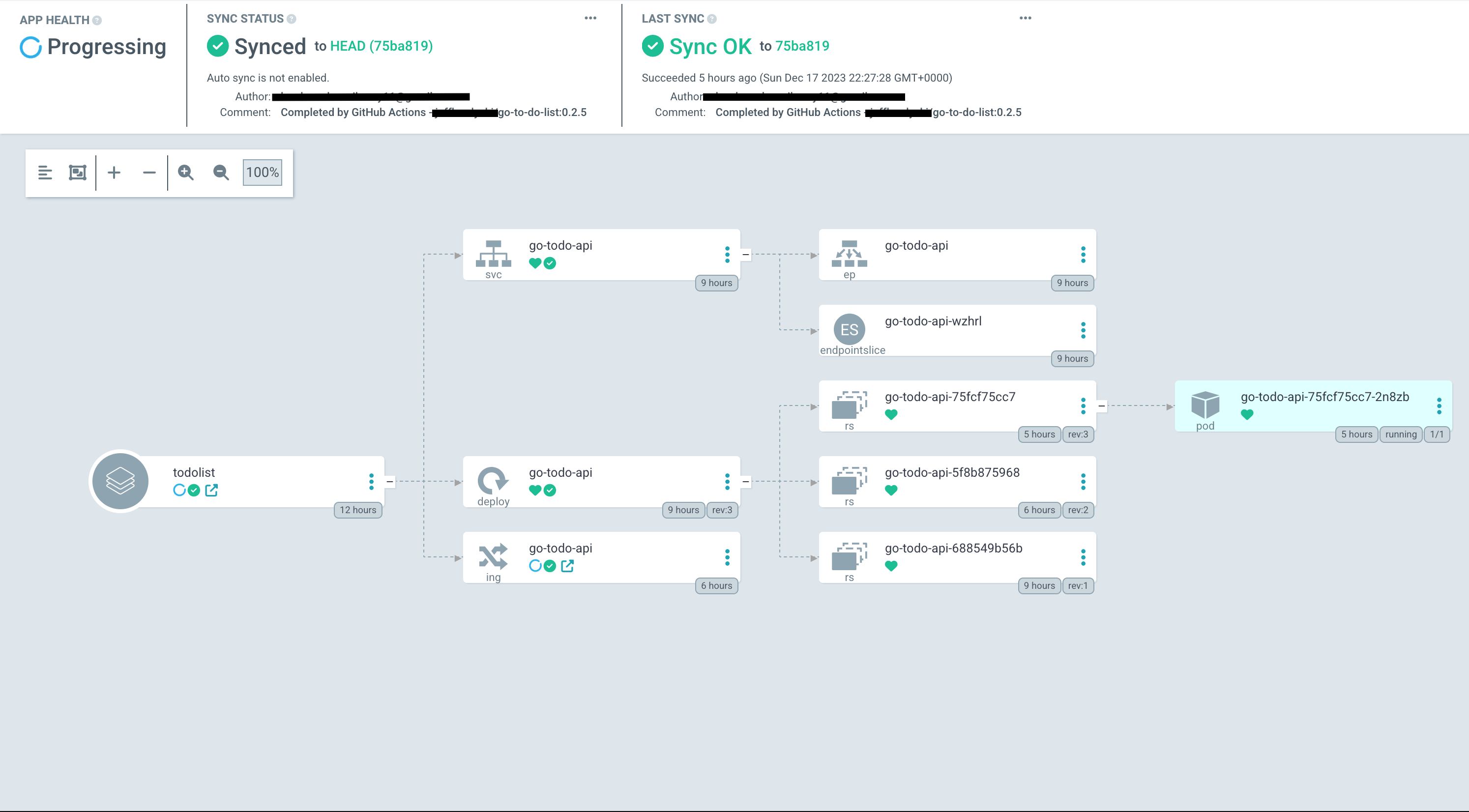
As long as your manifest files are configured properly this is the most simple piece of them all. Just connect your GitHub repo to ArgoCD with a personal access token and you’ll be on your way. ArgoCD will poll GitHub every three minutes for updates to the repo and sync if you have automatic updates configured. Unfortunately, using a webhook to notify ArgoCD of changes to the repo is not possible because my ArgoCD instance is hosted privately.
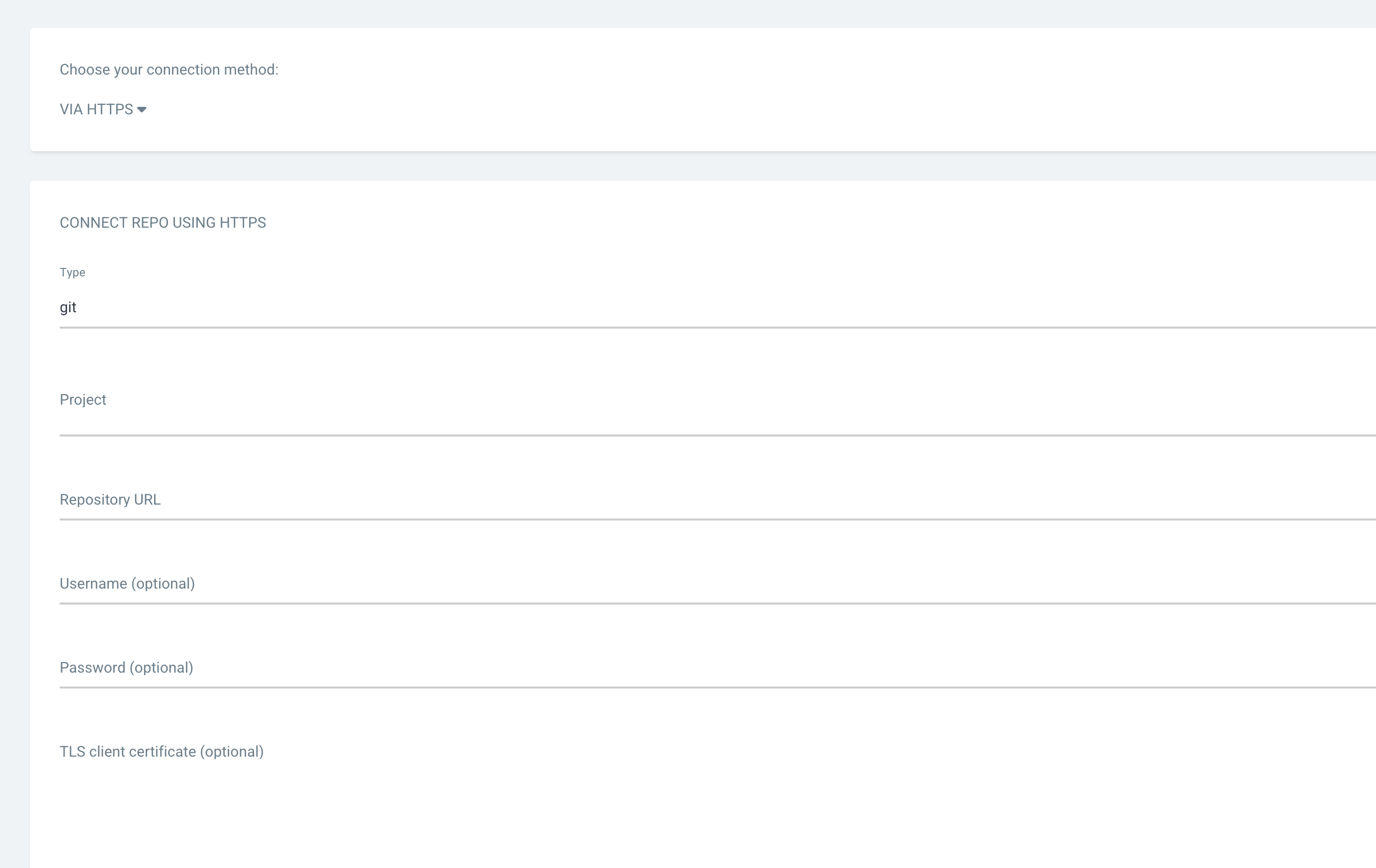
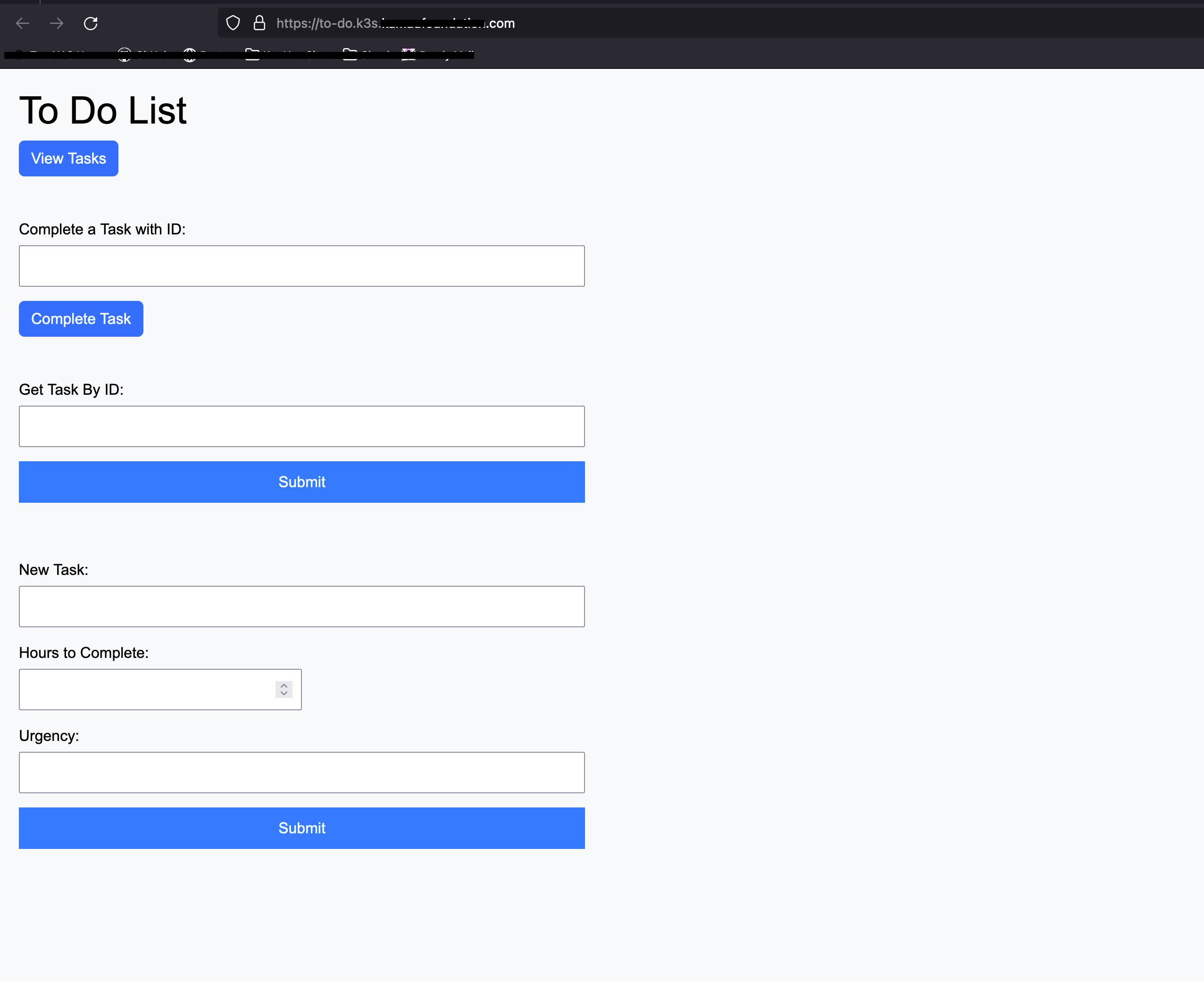
Lastly, I created an application within ArgoCD. I used automatic syncing at first, which was a big mistake and crashed my cluster. But after a lot of troubleshooting, scaling up the compute and storage of the VMs, and decreasing the number of replicas in the manifest, I got the pipeline to work, from push to deployment.
Conclusion
It wouldn’t be a blog of mine without the career lesson. This advice mainly applies to those in the tech industry but can spread to all. Being a tech worker I want to remind all that you have committed to lifelong learning. There will always be new tech, tools, frameworks, languages, you name it. If you don’t like learning or constantly starting at the bottom of the mountain, I honestly don’t know what to tell you. Don’t be a dinosaur, don’t get left behind. Thanks for reading!
P.S. Think in terms of the business as well.